Detailed information and price analysis for Klued Up: Board Game Solver. Find out if it's the best time to buy or if it's better to wait for a deeper discount.
Throw away your pads and pencils, Clued Up Pro will make you a Cluedo champion.
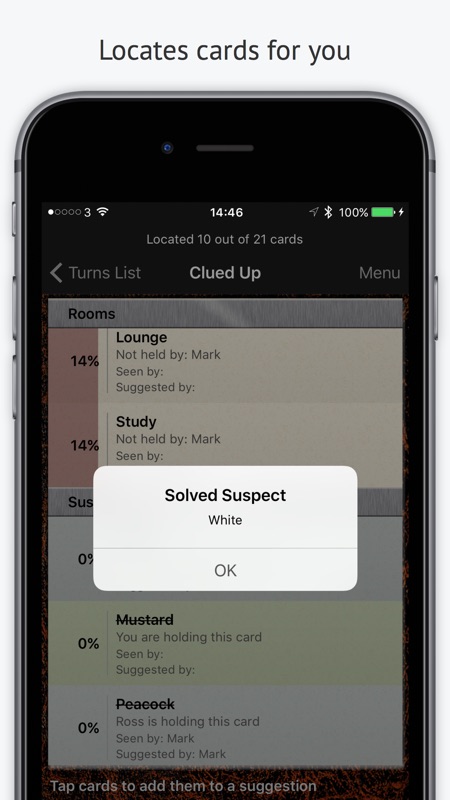
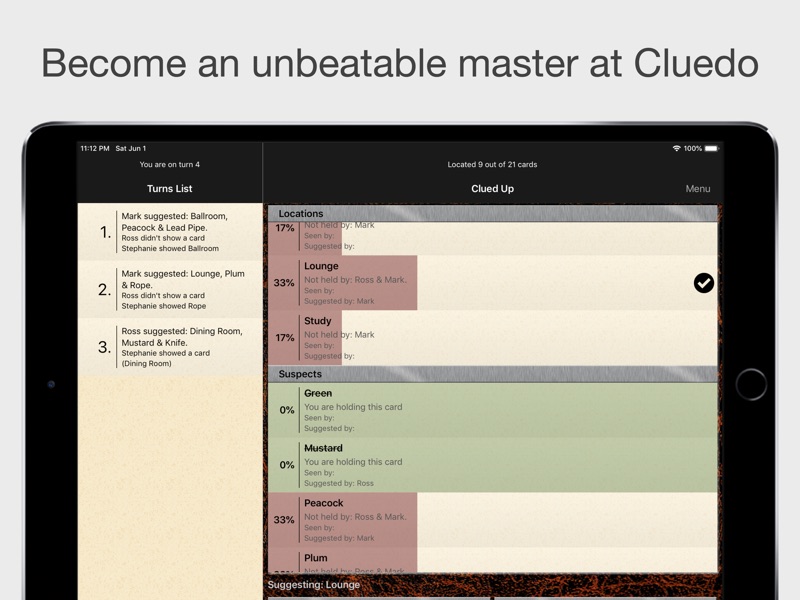
Clued Up Pro transforms your messy notes into a crisp table, showing you for each card, at a glance: who’s holding it, who’s not holding it, who’s suggested it, who’s seen it and the likelihood of it being the card in the envelope. All you have to do is enter the details of each turn.
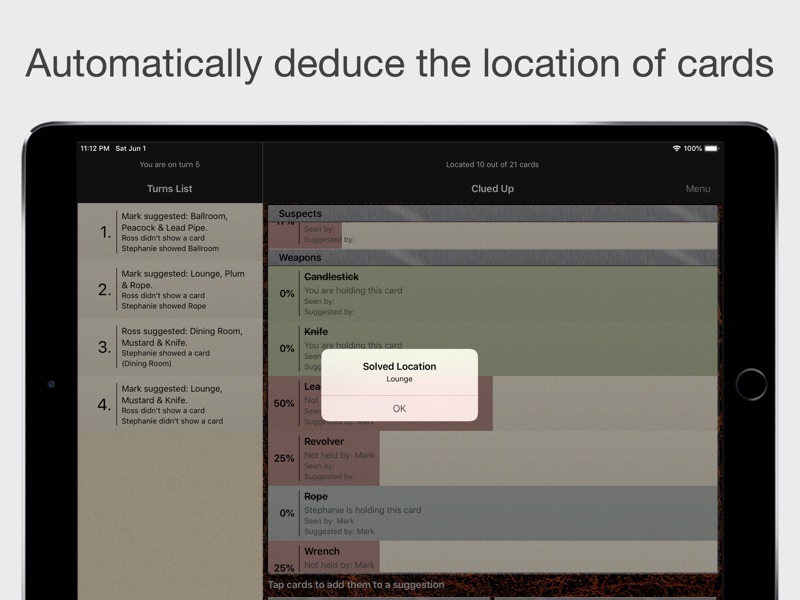
If you don’t want to give your opponents a chance Clued Up can go beyond just a smart scorecard. If you enable automatic deductions the app will cross-reference all of the turns in the game and locate cards for you, going way beyond what a human-being could achieve.
Clued Up Pro works with any edition of Cluedo. Out of the box, it has support for the ‘Classic’ and the new ‘Discover the Secrets’ editions and many more. If you don’t see your edition listed you can use the card set editing feature to create any edition you like and store it in the cloud for others to use.
Any feedback you can provide will be very much appreciated for future updates.
Follow me on Twitter for the latest promotions, news and updates. @MarkBridgesApps
Instructions
Game Setup:
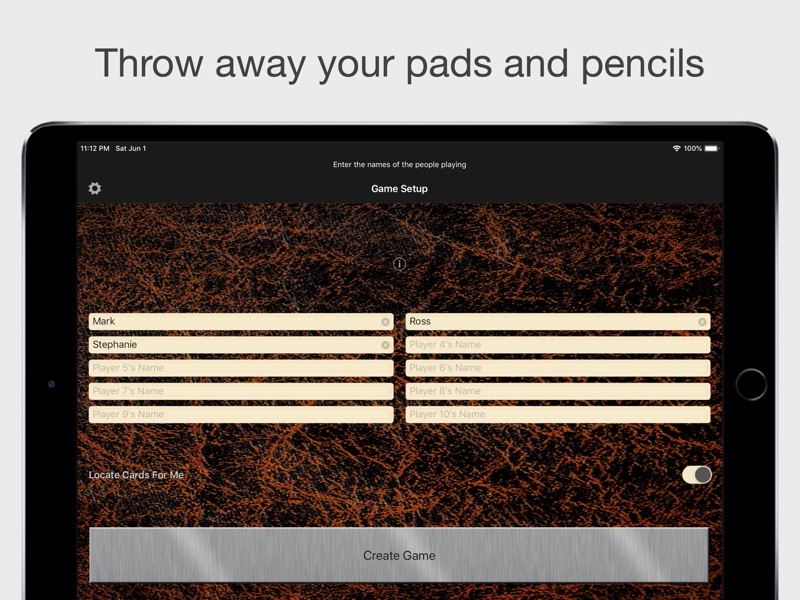
Enter your name then the names of your opponents in the order they are sitting, starting with the player on your left.
Select if you want the game to automatically locate cards for you. If you select to use this feature, as you record the turns in the game the app will cross-reference the location of cards from all of the player's responses and deduce for you what cards must have been shown in each go. Be sure that your opponents don’t mind you winning if you leave this switch on (or don’t tell them).
Once you’ve entered the names of the players in the game you’ll be given the option to select which edition of the game you are playing. If you don’t see your edition listed then you can create a new edition. Any edition you create will be stored in the cloud for yourself and other players to use.
After selecting your card set you then have to enter in all of the cards you have been dealt. Enter every card you are holding and then press finish.
Playing the Game:
On the main screen you have a list of all of the items. Eliminated items are shown in blue, items held by you in green and solved items are shown in red. Underneath the item name, you will see additional information such as who does or does not hold the card, who has suggested a card and who has seen a card. You will also see stats indicating how likely each card is to be the final item as a percentage and with the progress bar under each card.
To eliminate items you need to make suggestions and enter in the suggestions that your opponents make. The app will automatically eliminate a card if it is shown to you and, if you’ve selected to have the game located cards for your, when entering another player’s suggestion, if a card is shown and it’s known that the other two cards in the suggestion are elsewhere or not held by that player the game will automatically eliminate these.
To enter your suggestion you pick the items from the table and press the ‘Your Suggestion’ button. You will ask the player to your left, if they don’t show a card to you press ‘No Cards Shown’ and move onto the next player, if they show a card you select the card from the wheel and press ‘Card Shown’.
To enter an opponent’s suggestion you do the same thing except you select ‘Other’s Suggestion’ and, on the next screen, select the player making the suggestion.
You can manually enter that a player holds or doesn’t hold a particular card by swiping the cell to the left a pressing the Eliminate/Uneliminate button.
The app will tell you when cards locations are deduced and categories are solved.
You can undo your last move if you make a mistake by pressing the menu button and selecting Undo.


















Review / Comment